Immigration case management
Every application shows what happens next, and what's stopping it.
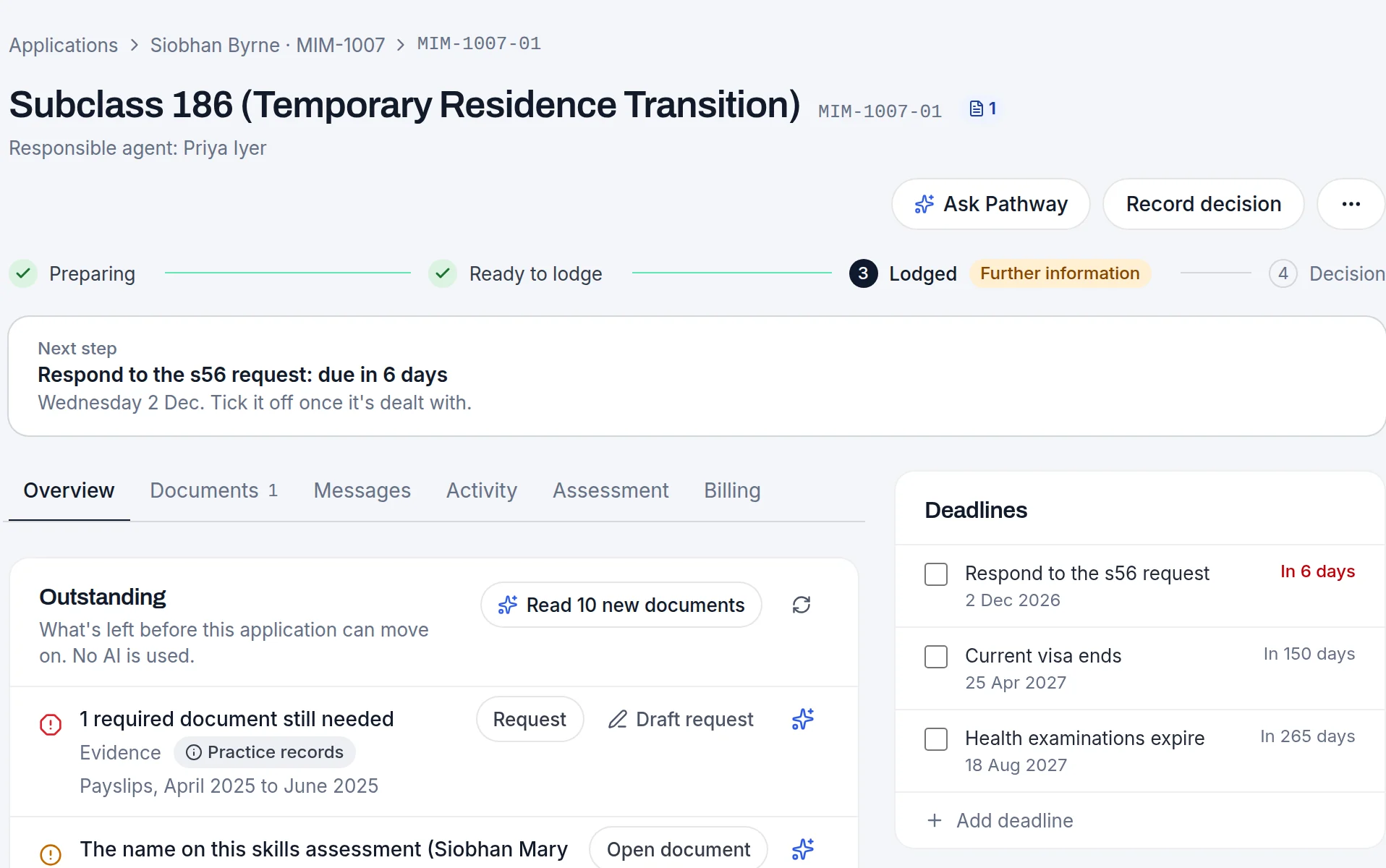
Each visa application is a workspace with its stage, its one next step, what's outstanding before it can move on and the dates that can't move. Before you lodge, one check across the whole file. Worked out from the file's own records, with no AI.
The problem
Case management is where mistakes cost the most: a document that expired before a decision, a response date nobody was watching, an application lodged with something missing. In most practices the state of a file lives in the agent's head and a spreadsheet of deadlines. When that agent is away, no one else can tell where it's up to.
The workspace
Every visa application has its own reference (MIM-1042-01: the client's reference and a number) and one page that holds everything: the stage, the one next step and who it's waiting on (you, the client or the Department), what's outstanding, every hard date, the documents for each person, and messages with the client and, separately, the sponsor.
Moving a stage asks for what that stage needs: the lodgement date and TRN when it's lodged, the response date when the Department asks for more information, the decision and its date. A mis-click can't move a file, and the facts are captured at the moment they're known. Every change is on the application's timeline.
How the next step is decided
The next step is one line, worked out from the application's records. The first rule that matches is the step, in this order, so what can't wait comes first and the answer is the same every time you look:
| Order | The rule |
|---|---|
| 1 | A deadline inside the practice's lead time |
| 2 | A client's message unanswered past the reply threshold |
| 3 | Files from the client waiting for review |
| 4 | The agreement: send it, or wait for the client to accept it |
| 5 | The Consumer Guide: record it |
| 6 | Documents: request them, wait, or remind a client who's gone quiet |
| 7 | Preparing, with nothing stopping it: mark ready to lodge |
| 8 | Ready to lodge: check any unverified documents, then record the lodgement |
| 9 | Lodged: waiting on the Department |
| 10 | Further information requested: respond by the date |
| 11 | Decided: wrap up and close |
The thresholds are the same ones Today uses, so the application and Today never disagree.
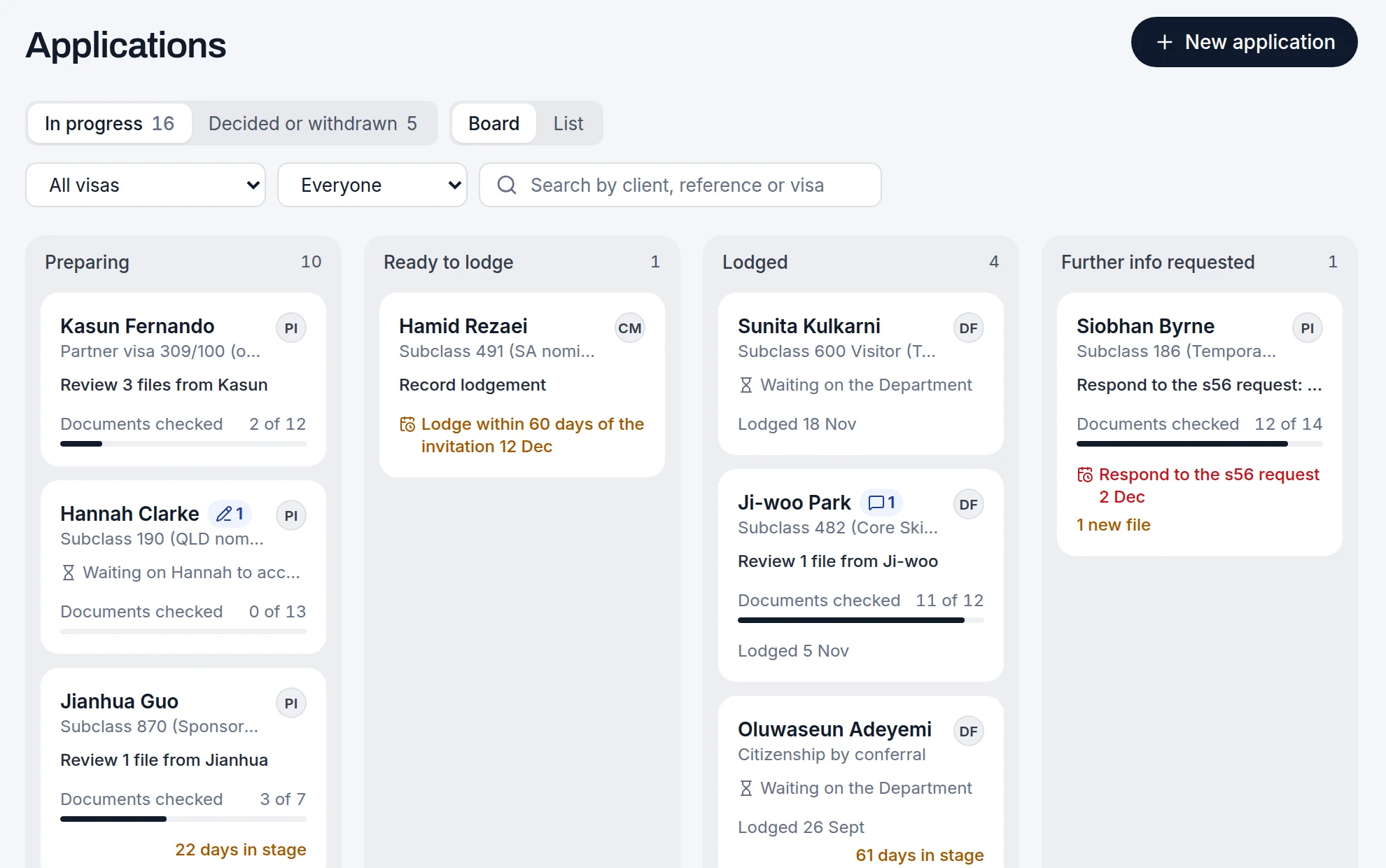 Every application on a board by stage, each card with its next step and documents checked.
The dates that don't move
A visa ending, a deadline to respond to a request, an ART review deadline after a refusal: each is recorded on the application and shown on Today as it approaches (within 14 days; urgent within 7), and on the calendar your team can subscribe to from Google, Outlook or Apple Calendar. Documents expiring within 60 days and passports within six months are flagged on every open application, because they may lapse before a decision.
Pathway never works out a legal time limit for you. A review deadline is typed from the decision letter.
The check before you lodge
Before an application is marked ready to lodge, Pathway lists everything still open on one page: required documents missing or unchecked, anything expired or about to expire, the agreement for services and fees, the Consumer Guide, and the client's eligibility under today's rules. It uses no AI, so the same file always gets the same answer. If you go ahead anyway, Pathway asks why, and your reason goes on the timeline.
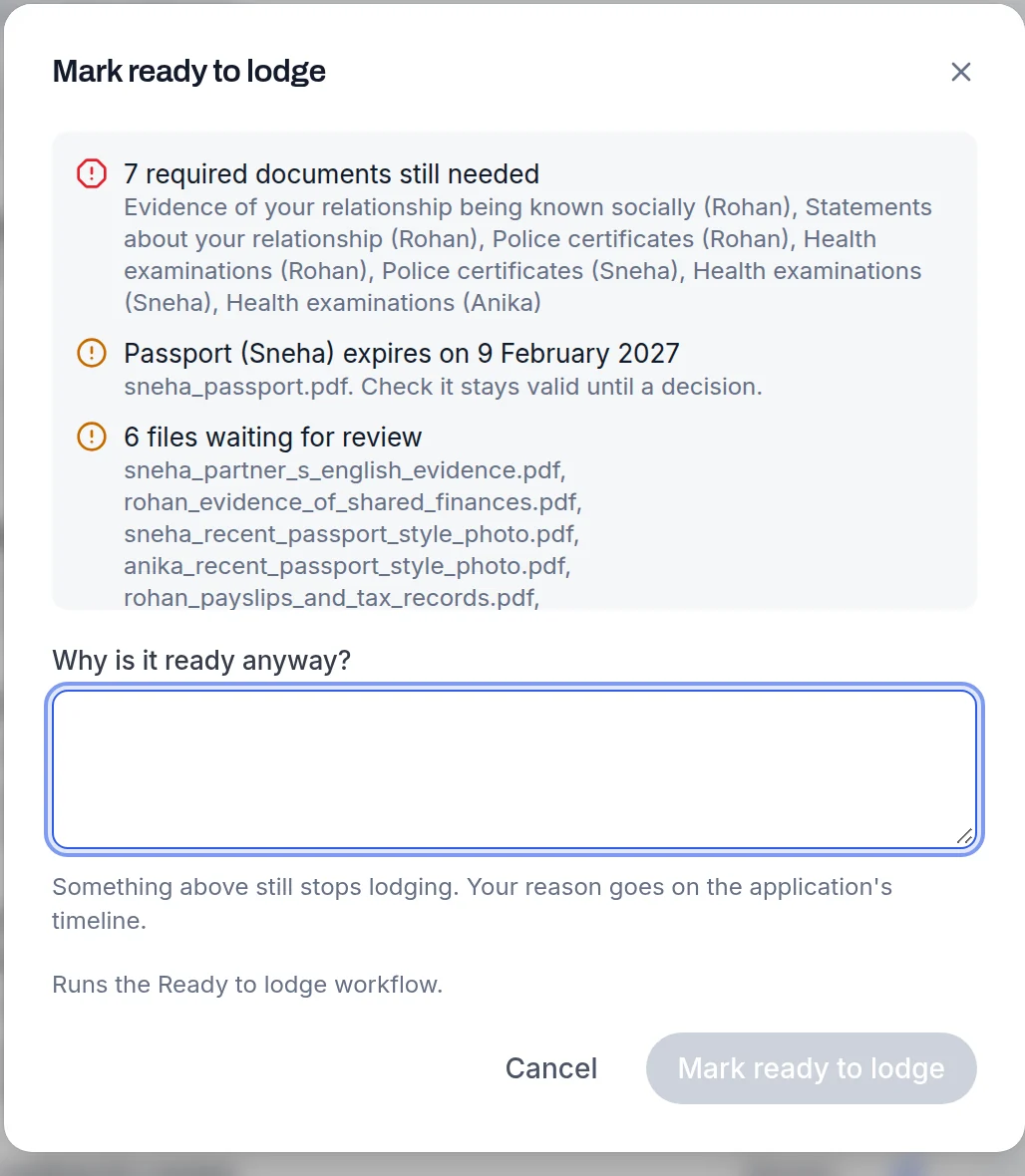 The check before lodging: seven required documents still needed, a passport expiring, and six files waiting for review.
Workflows by stage
Every practice has a routine for each stage. Workflows write it down once: when an application is started, ready to lodge, lodged, asked for more information, granted, refused or withdrawn, a workflow adds the practice's tasks (with a due date, a priority and who they're for) or a message to the client's portal. Each runs once per application, so going back a stage and forward again doesn't duplicate anything. Six starting workflows can be added in one click and edited; they name the work ("Lodge Form 956", "Check review rights and the deadline in the decision letter") and never state legal time limits.
Workflows never change a stage, lodge anything or touch money, so one can't set off another.
Refusals and ART reviews
Recording a refusal asks whether the letter gives review rights and, if it does, the date to apply by, typed from the letter. From that morning the review deadline is on Today and becomes the application's next step ahead of wrapping up. If the client goes ahead, the review is its own file with its own steps and checklist, and the tribunal's reference. Pathway doesn't lodge with the tribunal or advise on the merits: it makes sure the date isn't missed.
Other kinds of work
Besides visa applications, a practice can switch on ART reviews, skills assessments, PTE or NAATI coaching, referrals to a partner and other work, each with its own steps and checklist. A referral records the partner and, for people with billing access, the commission expected. Skilled applications assessed by Trades Recognition Australia get the Job Ready Program's steps.
What it doesn't do
Pathway doesn't fill in ImmiAccount: you lodge there as you do now and record the lodgement on the application. It doesn't keep a client-money (trust) ledger. The engine assesses ten skilled, employer and graduate visas; for other visas you get the checklists, steps and deadlines without an eligibility assessment.
Questions
Can a support person run the files? Yes. Stages, documents, deadlines and messages are open to staff; Pathway AI and identity details are off for staff unless the owner switches them on.
What happens to a file when an agent leaves? They're deactivated, not deleted. Their work shows their name, marked as deactivated, until it's handed on, so the history stays true.
Bring one enquiry. See what Pathway sees.
A 30-minute demo on an enquiry from your practice, names removed: the assessment, its place in the queue, and when Pathway would bring it back.
Live on 1 December 2026. Every practice starts with a 30-day free trial.
OneFifty. Beyond the ordinary.