Documents, portal and messages
Everything the client sends you lands in the right place.
A checklist for each person on the application. A private portal where the client accepts the agreement, uploads to the right item and messages you. A separate page for the sponsor, who never sees the client's file.
The problem
Collecting documents is most of the elapsed time on a visa application, and most of the chasing. When files arrive by email and WhatsApp, someone has to rename them, file them, work out who they belong to and remember what's still missing. And when a client's messages live in one agent's inbox, the file is never complete.
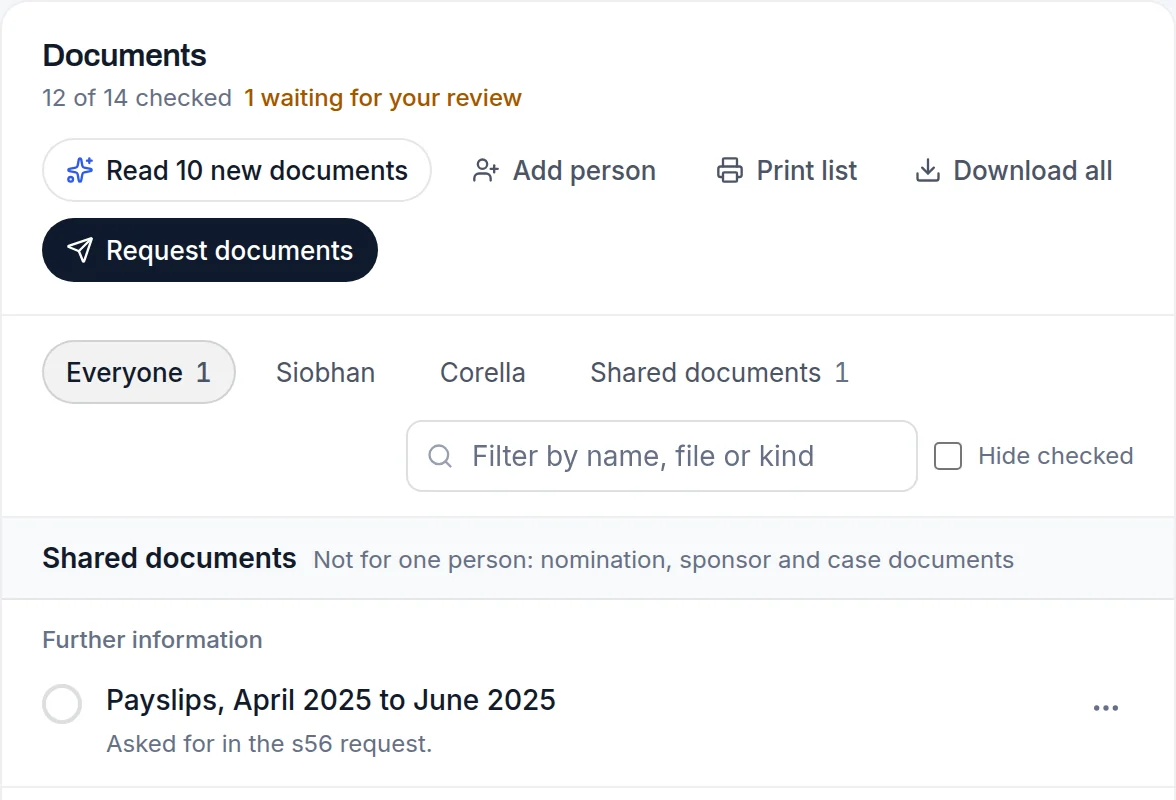
A checklist for each person
Checklists come ready for the common visas and streams: skilled, employer-sponsored, partner and family, student, graduate, visitor, talent, protection, citizenship and more. Each is split by person: the main applicant, the partner, each dependant, the sponsor, and a list for the whole application. Add or remove items for a particular client. Expiry dates on passports, police checks, English results and skills assessments are recorded, and Pathway warns you before one lapses.
Before an application exists, you can ask a lead for preliminary documents without treating them as a client.
The portal
Each client gets a private link to their own portal, with your practice's name and logo and no password to remember. There they:
- accept the agreement for services and fees and acknowledge the Consumer Guide, with the exact text, the time and the network address kept on the file;
- upload documents to their checklist, item by item, from their phone (PDFs, photos and Word files up to 25 MB, each checked by its contents, not just its name);
- message your practice in their own conversation;
- see their invoices (switching on 1 December 2026), and pay by card where the practice has connected its own Stripe account.
Each upload lands on the item it's for and appears on Today as waiting for you to check. Accept it, or send it back with a note the client sees. Malware scanning of every upload (switching on 1 December 2026).
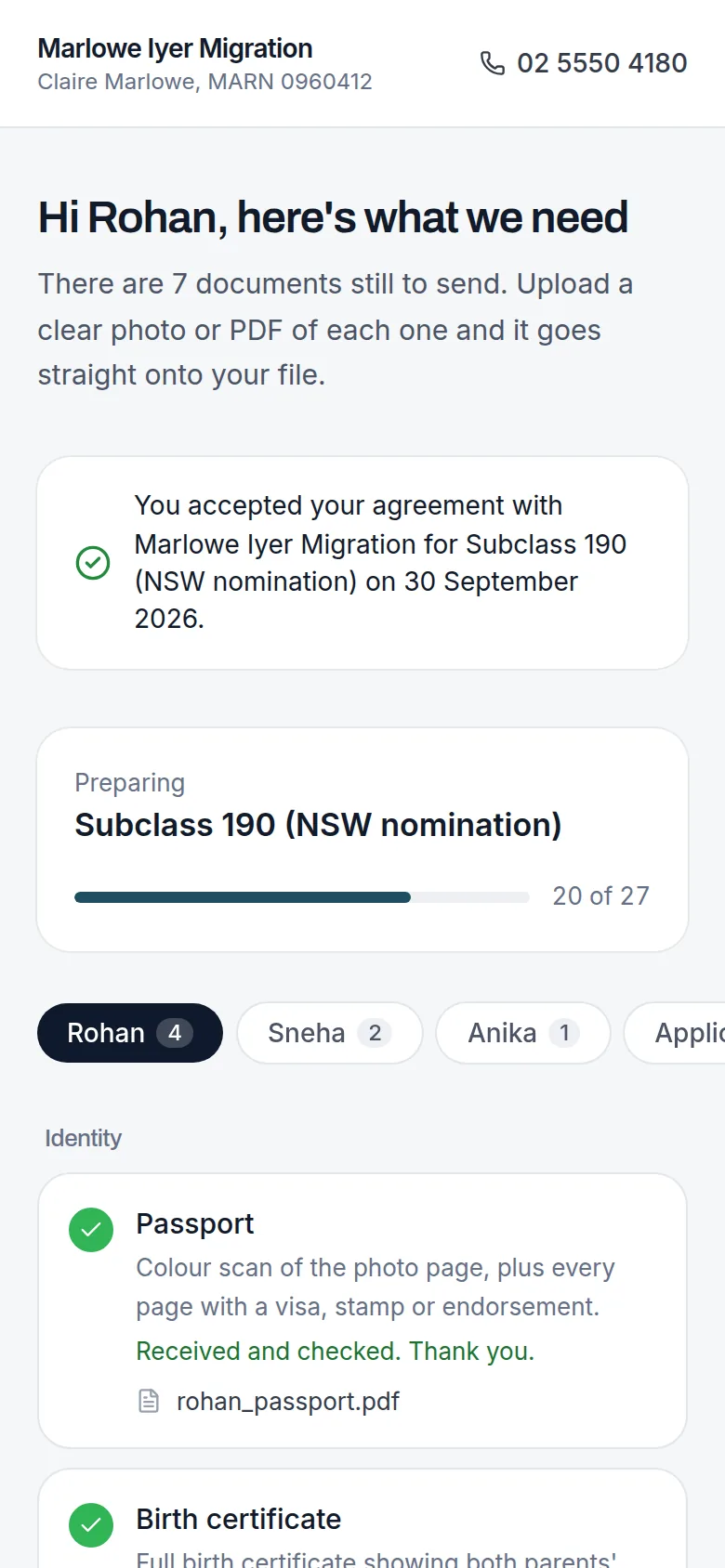 The client's portal on a phone: the agreement to accept, and the document list on its way.
A separate page for the sponsor
A sponsoring employer gets their own private link. It shows only the documents asked of the sponsor and their own conversation with your practice, never the client's file or messages. Nomination papers land on the sponsor's checklist.
Messages on the file
Every client's and sponsor's conversation is in one inbox, searchable by name or reference, with Unread and Needs reply views. New messages arrive in seconds, in the browser or in Pathway's own window with notifications and an unread badge. The other side gets an email that there's something new, without the message itself, so case details stay behind the portal link. A client message unanswered for a day shows under Needs reply.
Messages from your templates fill in the client's name, the visa, the reference and what's still outstanding.
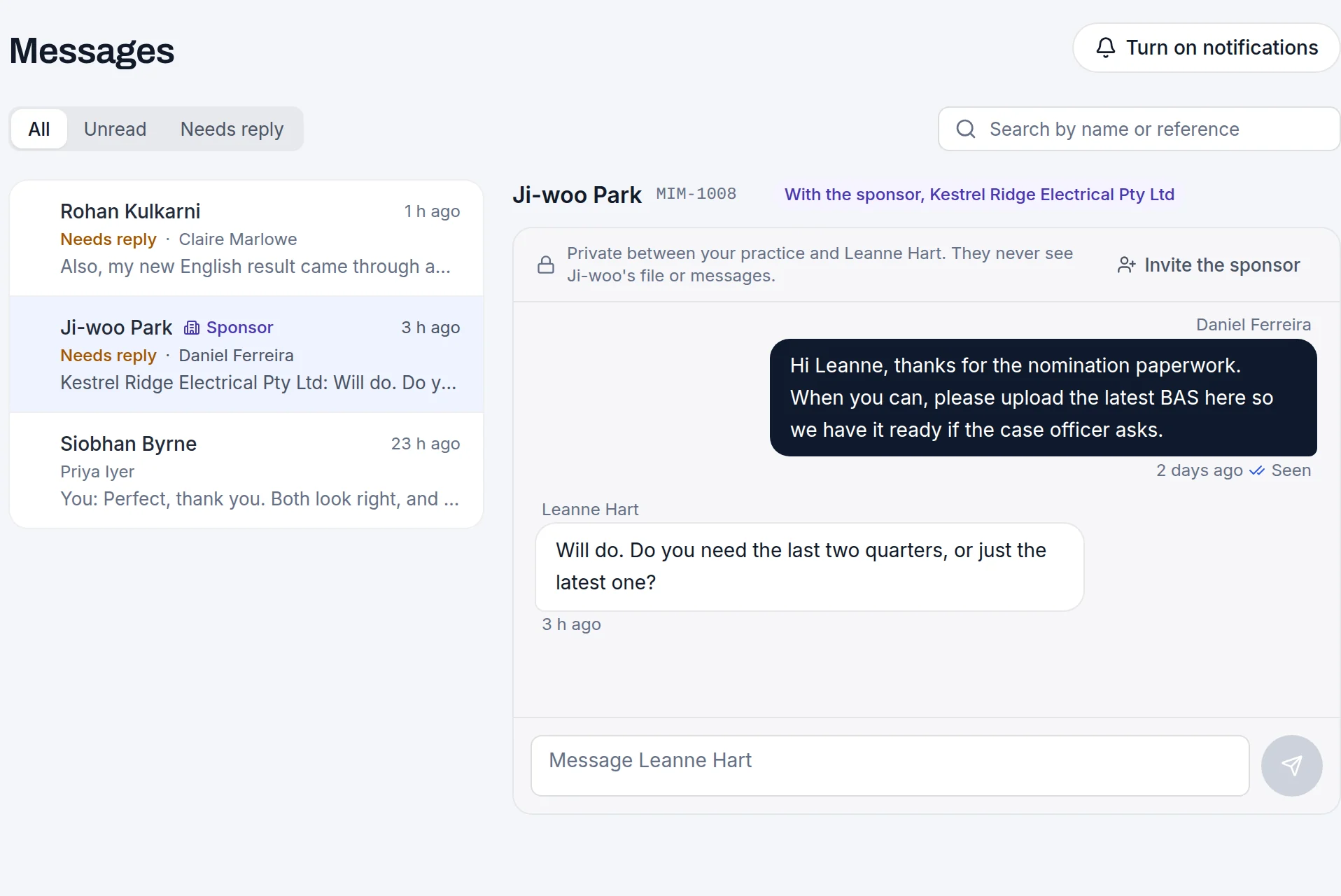 Messages with a client and, in a separate conversation, the sponsor.
Read for you, with consent
Open a passport, visa grant, skills assessment, English result, police certificate, CV or employment reference and Pathway can read it. What it found is shown beside what's on file, and nothing changes until you tick it and apply it. Reading uses Pathway AI, so it runs only for clients who have consented in writing.
What it doesn't do
The portal is a private link, not an account: anyone with the link can open it, so it goes only to the client, and you can replace it at any time. Pathway doesn't file emails from your own mailbox. Checklists are a starting point you edit, not legal advice about what a particular case needs.
Questions
Can I download a whole file? Yes: every document on an application as one zip, foldered by person, or a printed, branded checklist for a client who prefers paper.
Who sees identity documents? Passports, visa grants and police and health documents are open only to people with identity access. Everyone else sees them listed by name, with the numbers masked.
Bring one enquiry. See what Pathway sees.
A 30-minute demo on an enquiry from your practice, names removed: the assessment, its place in the queue, and when Pathway would bring it back.
Live on 1 December 2026. Every practice starts with a 30-day free trial.
OneFifty. Beyond the ordinary.